Arabic calligraphy in Naskh, Thuluth, Diwani, Ruq'ah, Kufi and Farsi
The same two words, الخط العربي (Arabic calligraphy), set by the generator in each of these scripts. Each has a page that says what it is good at and what it is not.
Mashq Studio holds 42 styles in all: these families, Maghribi, and modern and display faces. Read more: Arabic calligraphy, its scripts and its history.
How to make Arabic calligraphy online
- Type your words. Type a name, a word or a line in the text box, in Arabic. If you only have Latin letters, type them and press Arabize. The letters join as you type, each one the way the script joins it.
- Pick a script and shape it. Choose a script family, then a style within it. Stretch a join with kashida (tap the joint), switch a letter to one of its alternates, and set the ink colour and the sheet.
- Download it, or have it made. Download a PNG, an SVG, a PDF or a DXF. Your first four downloads are free; the first three carry a small stamp. Or order the same design as a framed piece made in the UAE.
Only have a name in Latin letters? See how a Latin name becomes Arabic, or find it among the names already written.
Arabic calligraphy as a PNG or an SVG
Every design downloads as a PNG at one, two, four or eight times its size on screen. Switch on No BG first and the PNG has a transparent background, ready to lay over a photo, a slide or a video. An SVG keeps the letters as vector outlines with no font inside, so it scales to any size and opens in Illustrator, Inkscape or Canva; PDF and DXF are vector too. The first four downloads are free; the first three carry a small stamp.
What the generator really does
Some call it an Arabic font generator, an Arabic text converter or a calligraphy maker; it is a free Arabic calligraphy generator that shapes real letterforms. Arabic letters change shape according to what sits either side of them, and joining them correctly is the hard part. The studio runs the same shaping engine a typesetter uses, so what appears is a correctly joined word rather than letters placed next to each other. You can then stretch the joins by hand (kashida), switch alternates, and move a single letter without breaking the rest.
It exports vector outlines: SVG, PDF and DXF, which means a laser cutter or a print house can use the file directly. The outline you see is the outline you get. That guarantee is the product, and it is why a preview here can be sent to a workshop without a second proof.
How that guarantee is proved, not just stated
"What you see is what you get" is the easiest sentence in software to write and the hardest to keep, because every export path is a second implementation of the renderer and second implementations drift. So it is tested on every commit, not asserted: fourteen checks that take a design off the stage and open the exported file to compare them. The SVG's outlines against the stage's own path data, the PDF page against the artboard in points, the DXF against the same shape at the same size, and the ones that usually rot quietly: that an export carries outlines and never an embedded font program, that outline mode exports a real stroke rather than a screen-only effect, that gold foil is a real SVG pattern, that gradients are real, that double-stroke is inset geometry rather than a stroked copy, and that a fixed artboard exports a real TrimBox, BleedBox and crop marks. The EPS is opened by an actual PostScript interpreter, because "it looks fine in a preview" is not the same as "a print house can open it".
That is the whole of the proof: the file a workshop receives is the picture you approved. What the studio still cannot do is kept on its own page, current on purpose.
What it does not do, and will not pretend to
A generator sets letterforms that already exist. It does not invent a calligrapher's hand. A calligrapher composing a Thuluth panel makes hundreds of decisions a font cannot hold: where a letter climbs to clear the one beneath, which of six alternates the rhythm of that particular line wants, when to break a rule. If you want that, you want a person, and we have people.
Nor is it an AI that draws calligraphy. Nothing in the generator makes a letterform from a prompt; everything is a real outline from a real typeface, moved by you.
Questions people ask
How can I turn Arabic text into calligraphy?
Type or paste the text into the box at the top of this page and pick a script. The generator joins the letters the way that script joins them and sets the words at once. You can then download the result as a PNG or an SVG.
How do you write Arabic calligraphy by hand?
With a reed pen cut at a slant, on lines measured in the pen's own dots: the letter alif is five dots tall in Naskh and seven in Thuluth. Mashq Learn teaches it letter by letter, and the first lessons are free.
How do I type ﷽, the Basmala sign?
The Basmala sign ﷽ is a single Unicode character, U+FDFD. Copy it from this answer and paste it where you need it. For calligraphy you can shape, type the words themselves in the generator and pick Thuluth or Diwani.
Is the Arabic calligraphy generator free online?
Yes. Designing is free in the browser with no account, every open script included, and your first four downloads are free too (the first three carry a small stamp, the fourth is clean). After that, a 7-day pass (AED 25) gives 25 clean downloads; Studio Pro (AED 50/month) gives 100 a month.
Can I choose the font?
You choose the script family (Naskh, Thuluth, Diwani, Ruq'ah, Kufi, Nastaliq or Maghribi, or a modern or display face) and, within it, the typeface. The fonts are used inside the studio; they are not offered as a download, because several are licensed.
Can it write in Diwani?
Yes. Diwani is one of the classical script families, with the knotted, ceremonial line most people want for a name. Type the word and pick Diwani.
Can I make a logo with it?
You can compose a wordmark and export it as SVG or PDF, which a designer or print shop can open. The studio sets real letterforms; it does not invent a calligrapher's hand, so for a fully bespoke mark a calligrapher is the right person.
Can I download Arabic calligraphy as a PNG with a transparent background?
Yes. In Export, switch on No BG, then press PNG (one to eight times the size on screen): the ink comes out on a transparent background.
Can I get Arabic calligraphy as an SVG?
Yes. The SVG keeps the letters as vector outlines with no font inside, so it scales to any size and opens in Illustrator, Inkscape or Canva. PDF and DXF are vector too.
Can I use it for a tattoo design?
You can export the word as a clean SVG or PNG to take to your tattoo artist. Check the spelling with a native reader first: Arabic letters change shape by position, and a mistake is permanent. We do not print or apply tattoos.
Then, if you want it on a wall
The same design can be made: a calligraphy paint printed to order in the UAE from AED 60, or cut in acrylic as a tray or a box. Delivery is AED 50 per order within the UAE and AED 250 worldwide. How that works · the lines we already write · learn the script yourself.
A student? Studio Pro is free for 3 months with a valid student ID, in any country.

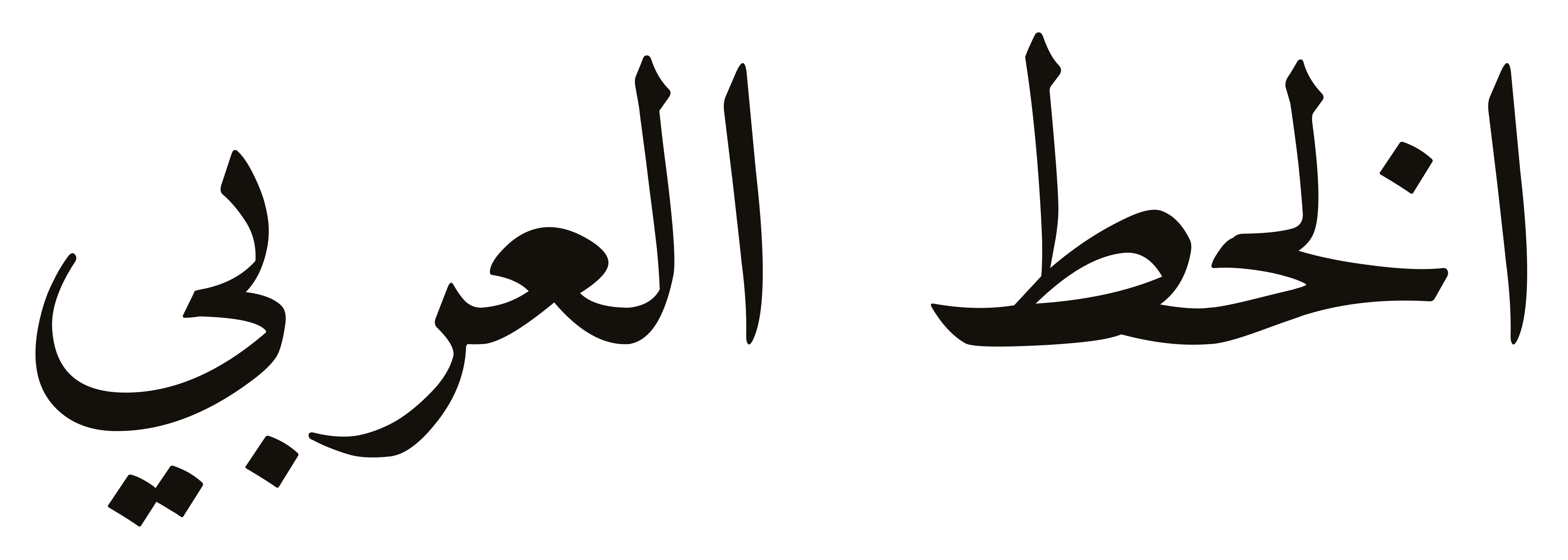 Naskh
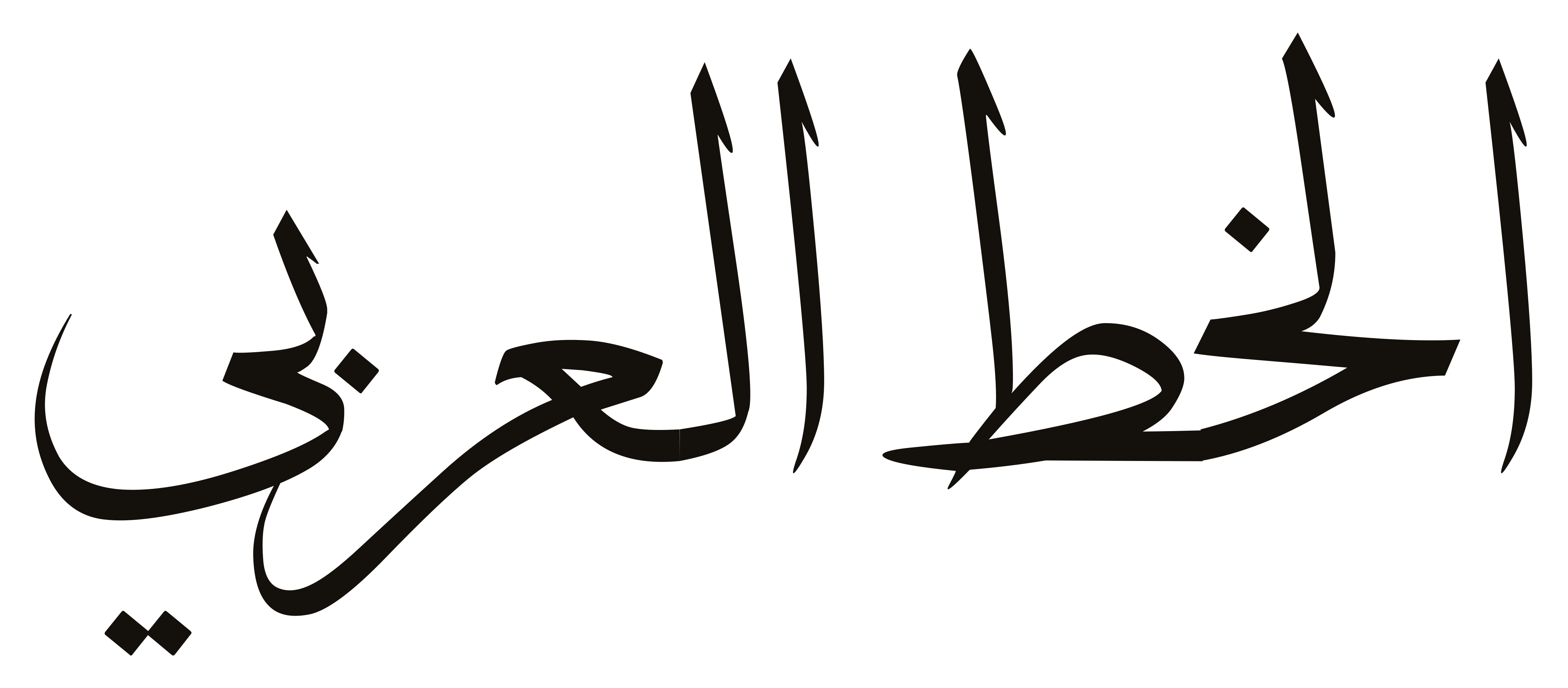 Thuluth
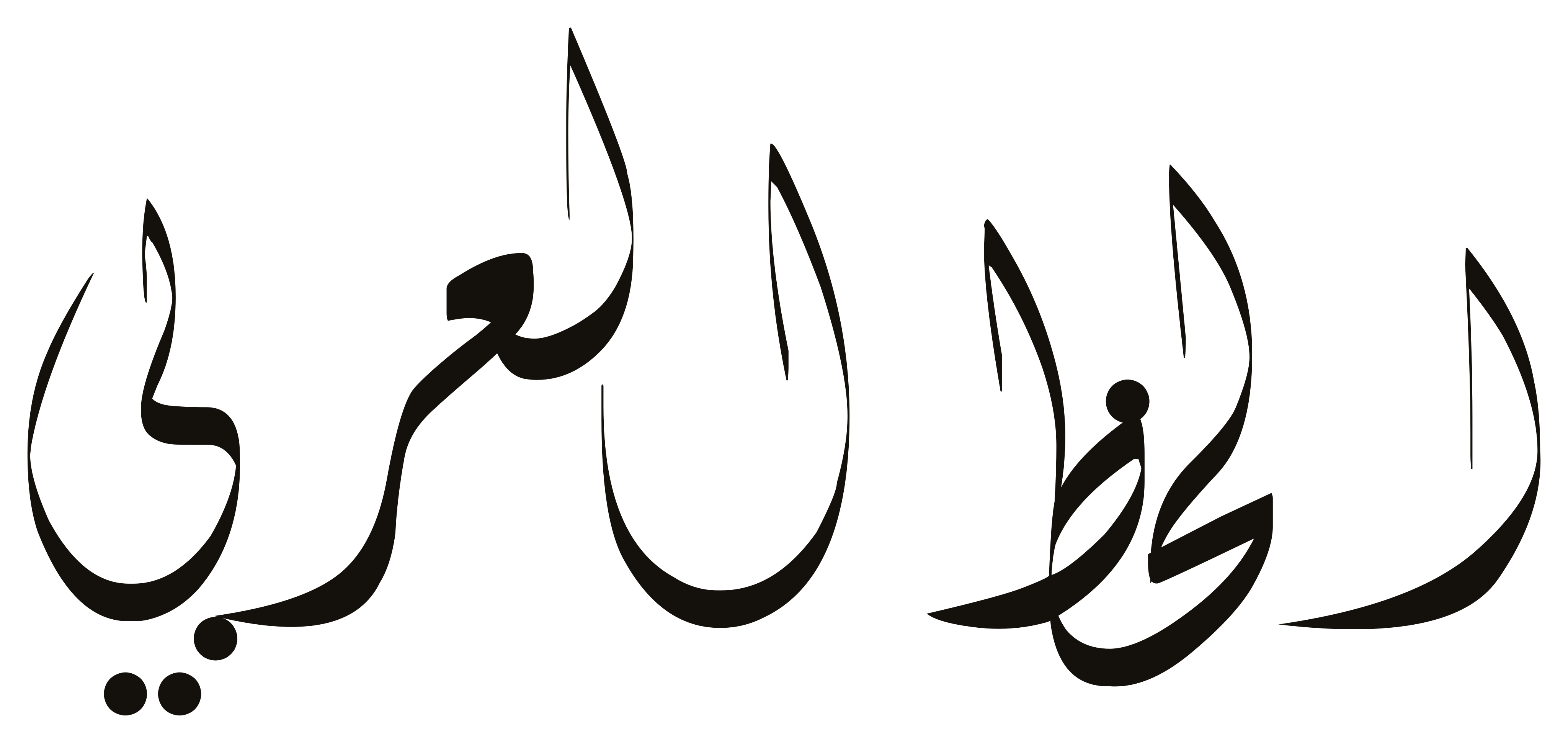 Diwani
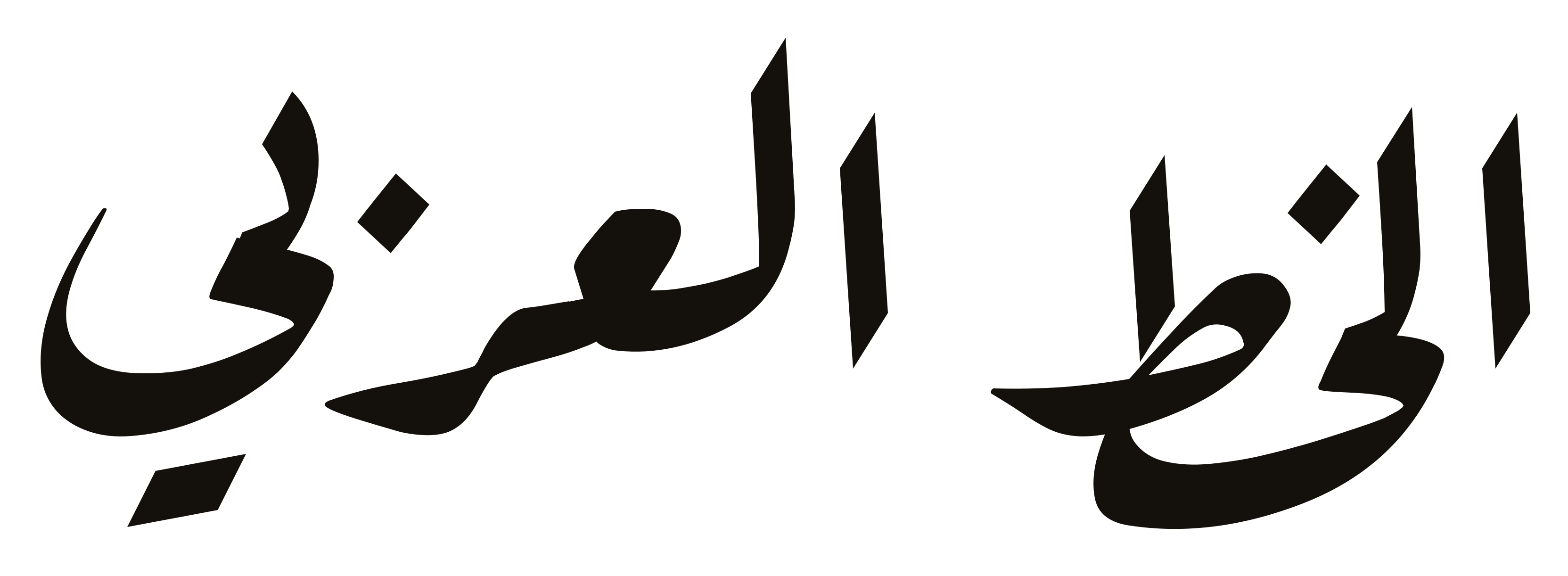 Ruq'ah
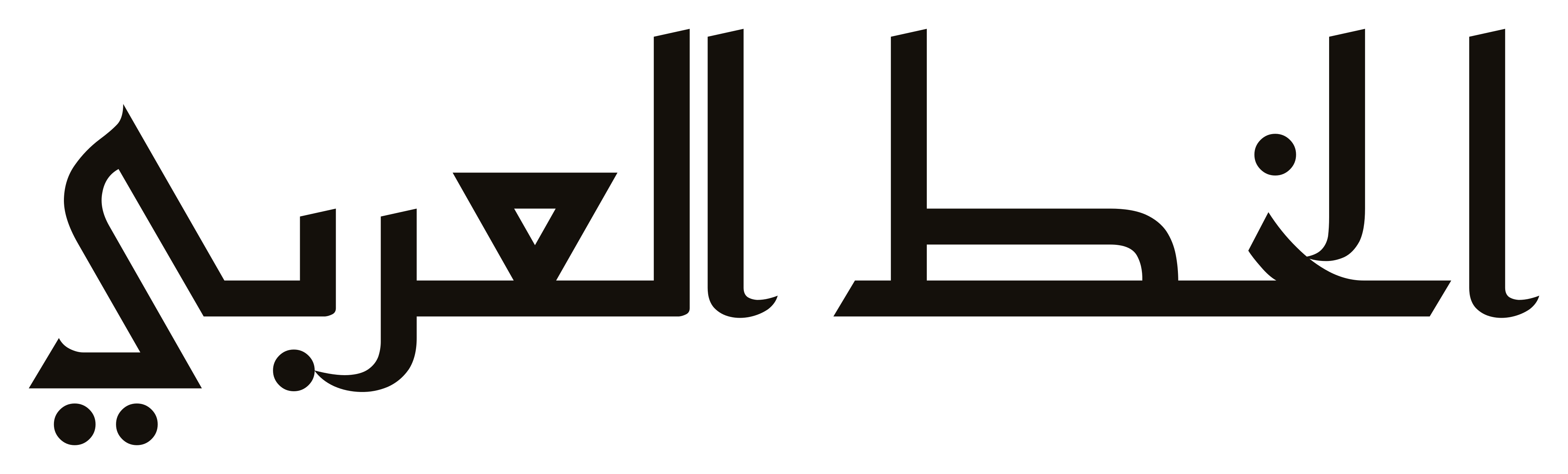 Kufi
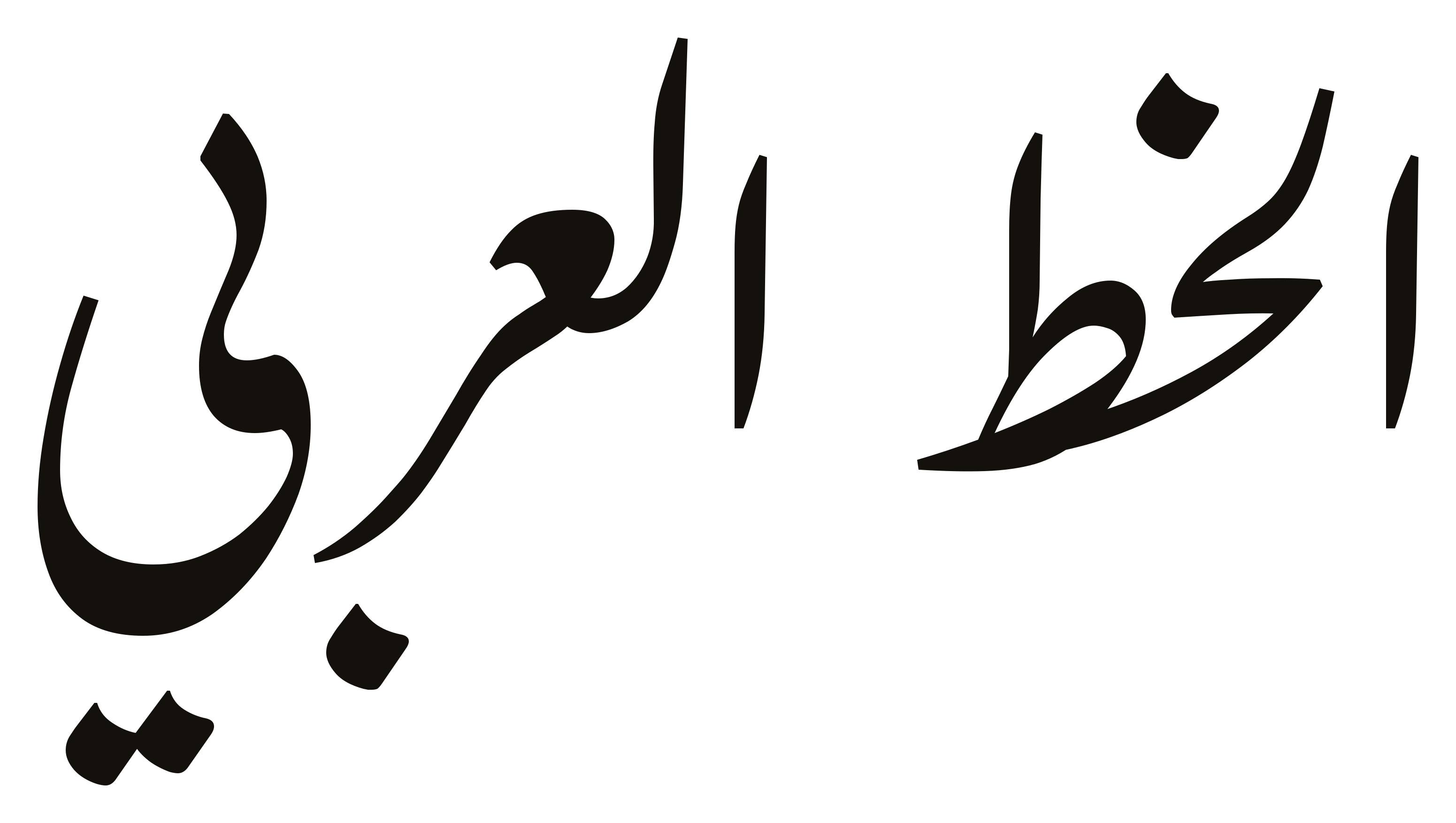 Farsi (Nastaliq)